NeuroCube
Digital Twin With Agentic AI: Behind The Scenes
Visual Simultaneous Localization and Mapping (VSLAM)
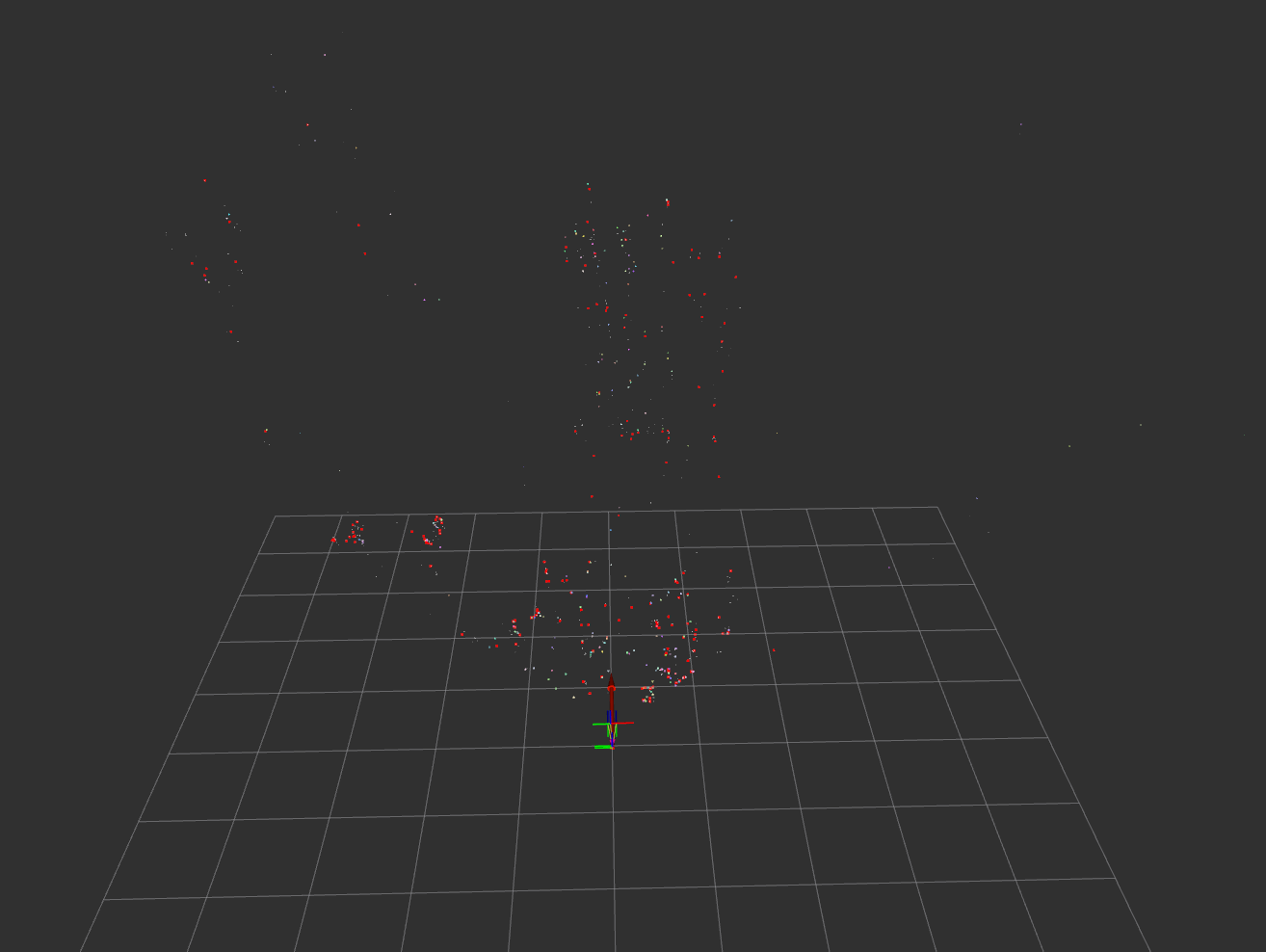
VSLAM is a technique used to create a map of an unknown environment while simultaneously keeping track of the robot’s location within that environment. This is achieved by using visual data from stereo cameras to identify and track features in the environment.
The VSLAM process involves the following steps:
- Feature Detection: Identifies salient points (features) in the images, such as corners or blobs, using the cuVSLAM algorithm.
- Feature Matching/Tracking: Matches features between the left and right stereo images to calculate depth, and tracks them across consecutive time steps to estimate motion.
- Pose Estimation: Calculates the camera’s motion between frames based on how the tracked features have moved.
- Mapping & Optimization: The estimated poses and 3D feature locations are used to build a map. A backend optimization process (like bundle adjustment) refines both the map and the trajectory to minimize errors.
Nvblox and 3D Scene Reconstruction
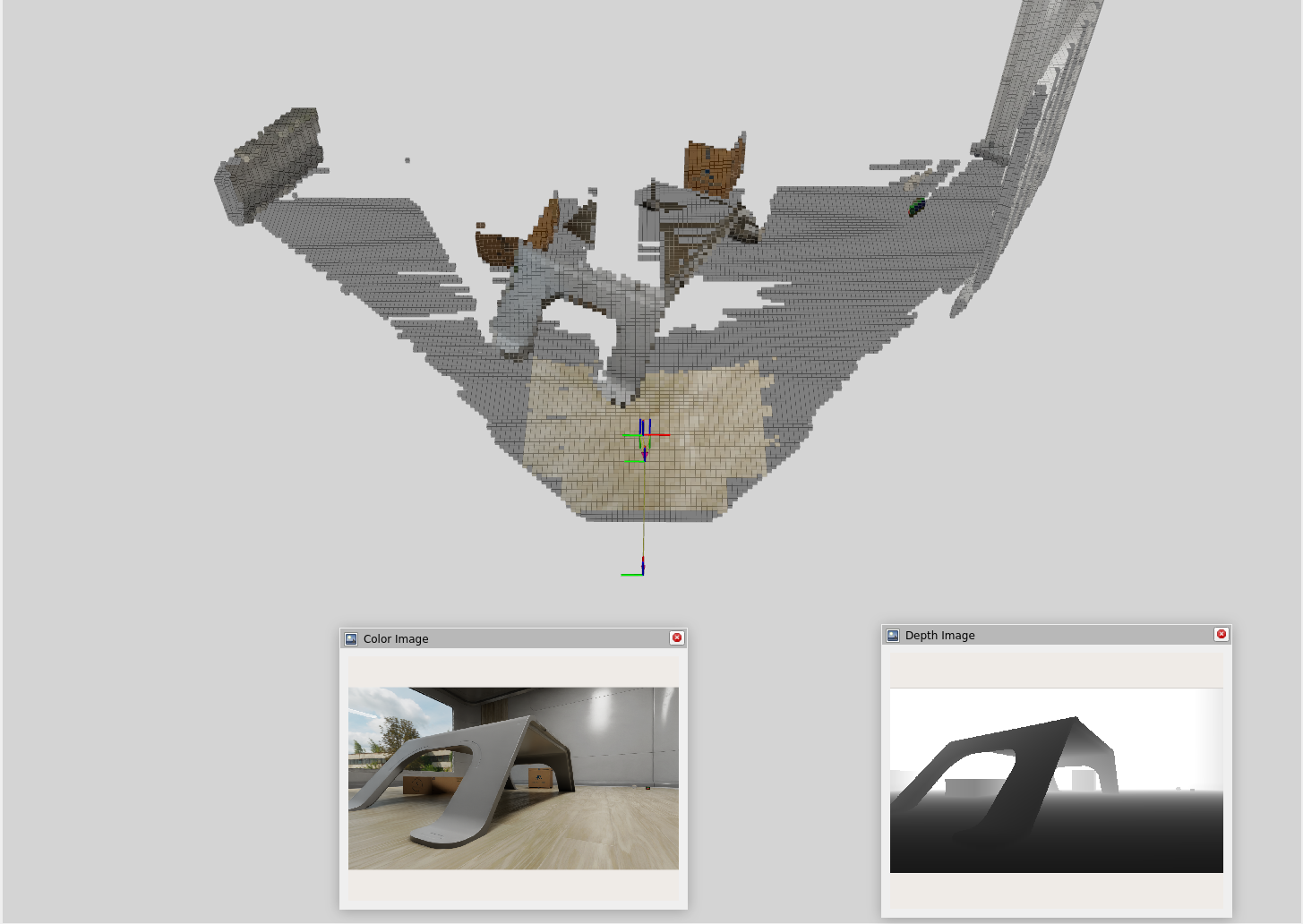
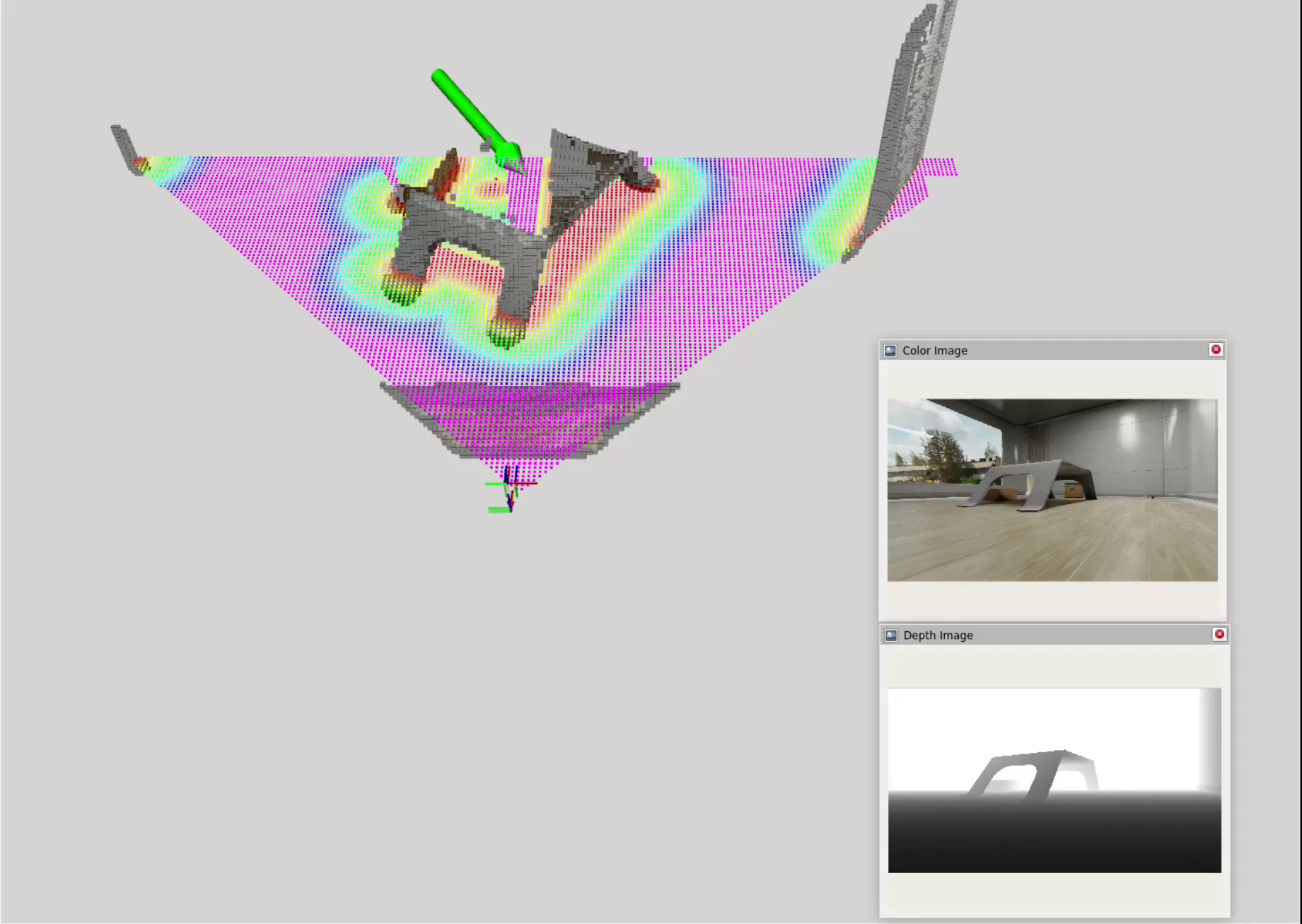
While VSLAM provides a sparse 3D map of features, a denser representation is needed for navigation. Nvblox, a package specifically for 3D scene reconstruction, excels at this. It takes the depth images and pose estimates from VSLAM and fuses them into a 3D voxel grid. Combining VSLAM and Nvblox, we get a much richer representation of the environment.
The 3D reconstruction process involves these key steps:
- Depth Integration: Nvblox integrates depth images into a Truncated Signed Distance Field (TSDF) representation, which encodes the distance to the nearest surface at each position.
- Voxel Grid: It stores the TSDF representation in a voxel grid, allowing for efficient storage and retrieval of 3D geometry.
- Color Integration: It then integrates the RGB images to project color information onto the 3D geometry.
Nav2 and Navigation Planning
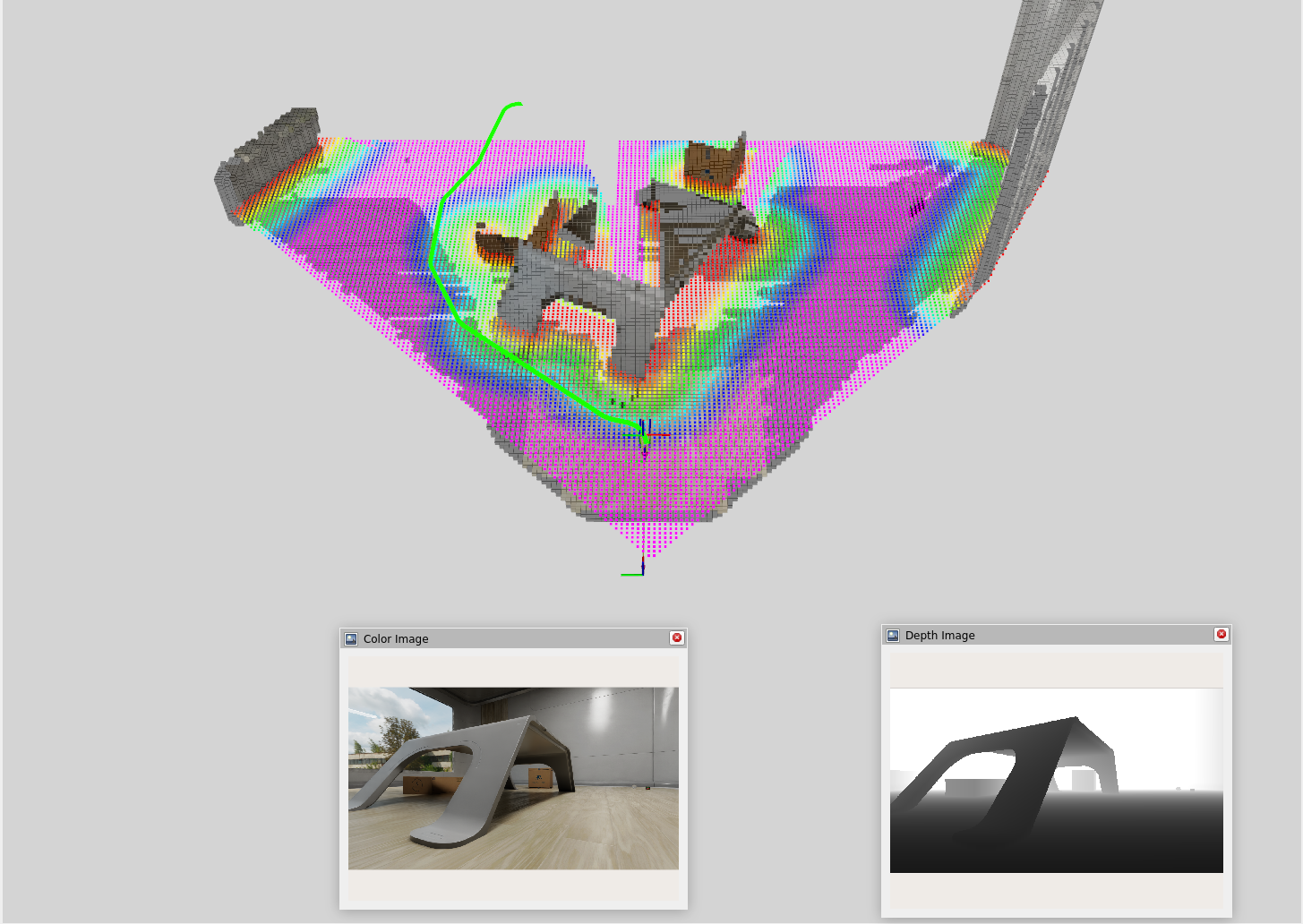
Nav2, a navigation framework for ROS2, provides a suite of tools for real-time path planning and obstacle avoidance. The idea is to use the 3D reconstruction from Nvblox to create a cost map and feed that into Nav2 for navigation planning.
The navigation process involves these key components:
- Costmap Generation: Nvblox converts its internal TSDF representation into a costmap that combines voxel data across multiple height slices. This is a 2D grid where each cell’s value represents the “cost” of traversing it. Cells near obstacles have a high cost, while open space has a low cost. This costmap is what the planner uses to find safe paths.
- Path Planning: A planner algorithm (such as A*) searches the costmap to find the optimal, lowest-cost path from the robot’s current position to the goal.
- Path Following: A controller algorithm (like MPPI - Model Predictive Path Integral) generates velocity commands (linear and angular) to make the robot follow the planned path while reacting to immediate, unforeseen obstacles.
- Recovery Behaviors: If the robot gets stuck or deviates significantly from the path, recovery behaviors like clearing the cost map, backing up, or rotating in place can be triggered to help it get back on track.
Click and Drag Interface
To test out Nav2, I used a simple click and drag interface to set waypoints for the robot to navigate to. In this interface, I am manually defining a goal position (x, y) and orientation (yaw) for the robot and Nav2 will compute a path to that goal while avoiding obstacles in real-time.
LLM Control System For Navigation
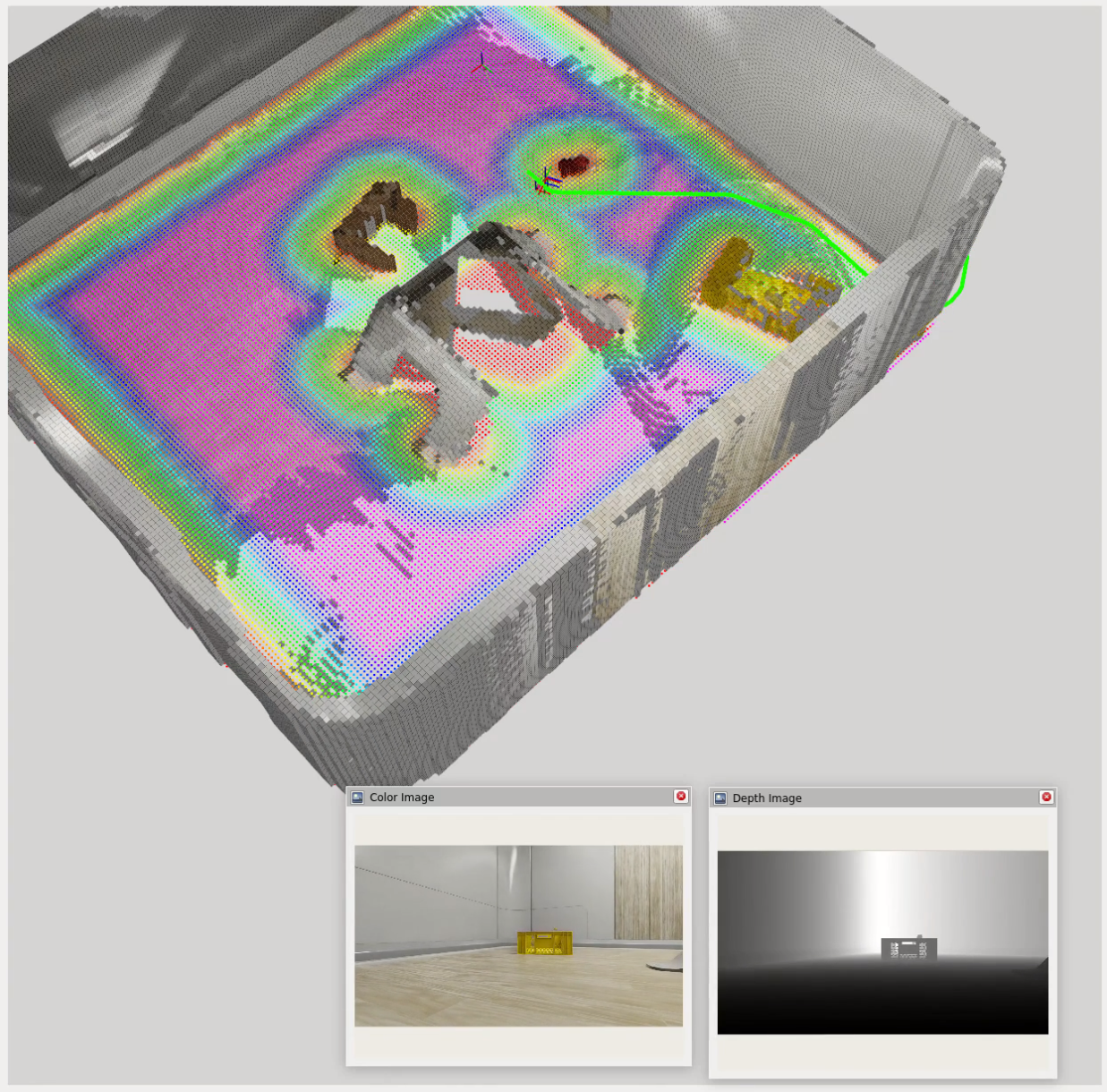
Currently, I am developing a system that allows the robot to decide for itself where to go based on a given task and environmental cues. This works by sending task information and semantic descriptions of the environment to the LLM and converting LLM outputs into actionable commands for Nav2.
NOTE: The LLM cannot accurately determine facing rotation, so I am omitting the need for the model to output a target rotation (yaw) for now and just focusing on target position (x, y). The target rotation is calculated as the look at rotation from the robot’s current position to its target position.
What The LLM Receives
-
Task description (natural language)
A description of what the robot is supposed to do, e.g. "Find an [object] and go to it." -
ESDF (Euclidean Signed Distance Field) cost grid:
[val00, val01, ..., val0n; val10, val11, ..., val1n; ..., ..., ..., ...; valm0, valm1, ..., valmn] -
Semantic dictionary of detected objects and their grid coordinates:
{"object1": "(x, y)", "object2": "(x, y)", ...} -
Navigation feedback:
Navigation towards (x, y) failed / canceled / succeeded.
What The LLM Outputs
- Reasoning: What the LLM was thinking while producing the output.
- Goal coordinates: [x, y]
- Task status: (in progress, completed, failed)
{
    "REASONING": "The task is to ... I should ...",
    "COORDINATES": [x, y],
    "TASK STATUS": "IN PROGRESS"
}
Towards Agentic AI With Question Asking
One challenge with using LLMs for navigation is that they may not always have enough information to make informed decisions. For example, if the robot is tasked with finding a yellow basket but there is only information about a basket in the environment, the LLM needs to be able to ask clarifying questions about the color in order to proceed effectively.
At a basic level, the LLM is currently able to perform the following steps to gather information:
- Analyze textual-semantic information in the form of a cost grid and a dictionary of detected object labels.
- Determine what information it’s missing, such as color, which the object detection / segmentation model, YOLO, does not provide.
- Route this query through an MCP (Model Context Protocol) tool call that requests additional information from a VQA (Visual Question Answering) model, BLIP, to ask for the missing information.
- Receive the answer from BLIP and become more confident in completing the task.
Last few lines of logged output demonstrating this as the robot approaches a yellow basket: