The dashboard
The dashboard is the main window into what Neural Cube is doing. It is a web page served by the robot itself, so it can be opened from any device permitted to access the robot wirelessly without installing anything. Every panel reflects the robot's real state in real time, and most of them can also be used to give the robot instructions or change how it behaves.
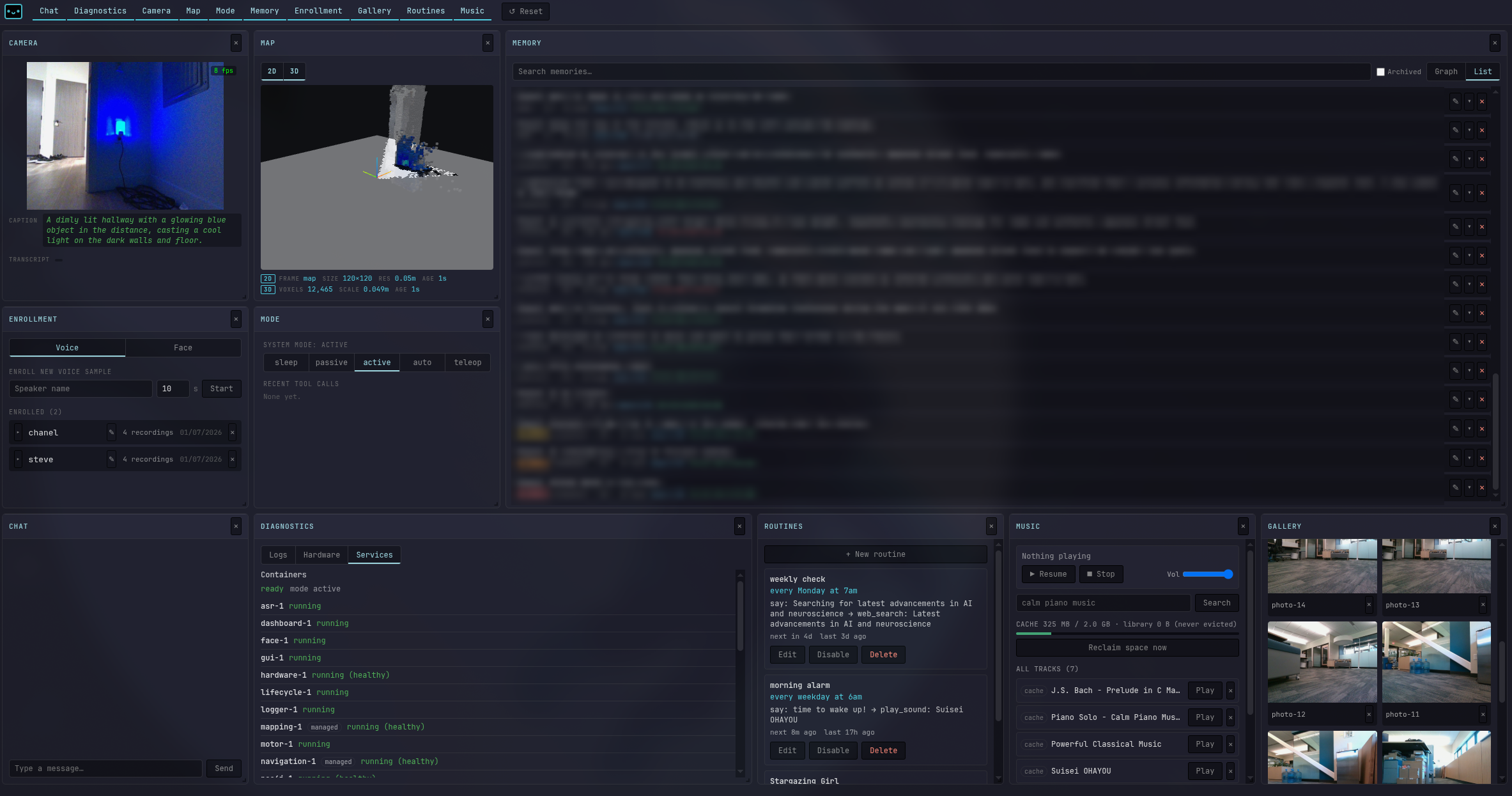
What each of the panels do
Mode
Switch between sleep, passive, active, auto, and teleop. Also where you drive it and type something for it to say.
Chat
Everything heard, said, and done, with the tools used each turn. The fastest way to see why it did something.
Routines
What it does on its own, and when. Create, edit, pause, or delete one.
Music
Search and play music, and see what is already downloaded.
Camera
What it is looking at, plus how it describes the scene to itself.
Map
Where it has been and where it is now. Send it to any named place from here.
Gallery
Every photo it has taken. View, download, or delete.
Memory
What it has chosen to remember, by person and topic. Correct or delete anything here.
Enrollment
Teach it a new voice or face, rename someone, or remove them.
Diagnostics
Logs, hardware, and running services in one place. Where to go when something looks wrong.
Tell it what to doSee what it is doingManage what it knowsCheck it is healthy